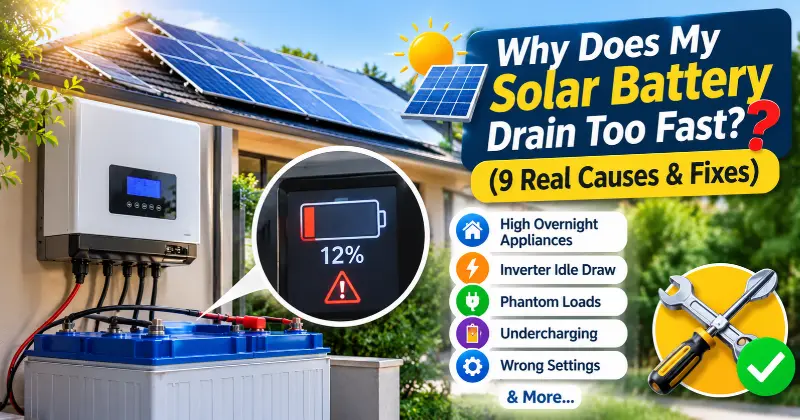
A solar battery that drains quickly overnight is not necessarily defective. In many U.S. homes, high overnight electricity use, inverter standby consumption, and insufficient daytime recharging are the main reasons a battery runs out of usable energy sooner than expected. Battery settings, temperature limits, aging, and wiring problems can also reduce available backup time.
To find the cause, compare your overnight electricity use with your battery’s usable capacity, check whether the battery reaches a full charge during the day, and review its inverter and Battery Management System (BMS) data. The nine causes below explain what to look for, how to identify the problem, and when to contact a qualified solar technician.
Quick Diagnostic Chart: Match Your Symptom to the Fix
| Symptom | Possible cause | What to check |
| Battery drops quickly after sunset | High appliance demand or insufficient usable capacity | Check overnight kWh consumption and battery reserve |
| Battery loses charge when household loads are off | Inverter standby consumption or hidden DC/AC loads | Review inverter standby specifications and monitoring data |
| Battery percentage suddenly drops | BMS SoC estimation error or cell imbalance | Review BMS warnings and individual cell data |
| Battery charges slowly or stops charging in cold weather | BMS temperature protection or charging limits | Check battery temperature and manufacturer charging limits |
| Battery reaches 100% but runs out quickly | Incomplete charging, high loads, aging, or incorrect settings | Review charge history, usable capacity, and battery configuration |
9 Real Reasons Your Solar Battery Drains Quickly (And How to Fix Each)
A solar battery can drain quickly for several reasons, but the most common causes include excessive overnight electricity use, inverter idle power consumption, hidden phantom loads, incorrect BMS or charge controller settings, and an aging battery. Extreme temperatures, insufficient solar charging, and faulty wiring can also reduce battery backup time.
1. Heavy Overnight Appliances Exceeding Capacity
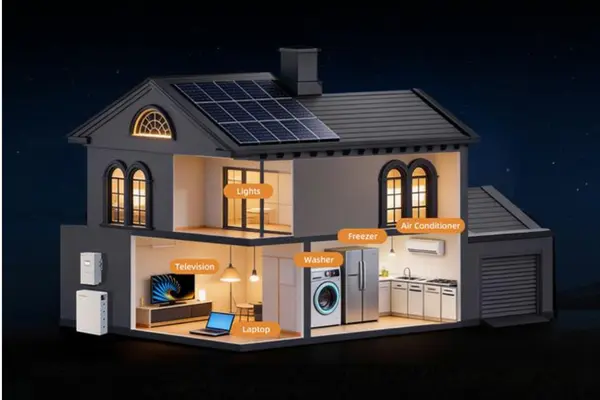
Most U.S. residential solar batteries, such as a single Tesla Powerwall (13.5 kWh) or an Enphase IQ Battery 10T (10.08 kWh) are sized for essential backup loads, not whole-home electric heating and cooling.
A central air conditioner can use a substantial amount of electricity overnight, but its actual power demand depends on its efficiency rating, compressor type, operating conditions, and outdoor temperature. Rather than estimating consumption from cooling capacity alone, check the unit’s electrical nameplate or use a home energy monitor to measure its actual power draw.
Electric water heaters, clothes dryers, well pumps, and space heaters can also consume large amounts of stored energy. Running several of these appliances overnight may exceed the usable capacity of a typical residential battery.
| Appliance | Power | Runtime | Energy |
| Refrigerator | 150W | 8 hours | 1.2 kWh |
| LED lights | 60W | 5 hours | 0.3 kWh |
| Window AC | 900W | 4 hours | 3.6 kWh |
| Total | 5.1 kWh |
A battery’s usable capacity not just its advertised capacity determines how much energy is available overnight. If your household uses 5.1 kWh overnight but your battery has only 4 kWh of usable energy, the battery cannot support the entire load without grid assistance.
How to fix it:
- Shift dishwashers, laundry, and EV charging to periods when your solar panels are producing strong electricity, typically around midday depending on your location, season, and weather.
- Move heavy 240V appliances off your backup subpanel so they only run from the grid, following our [Residential Electrical Load Calculation Guide].
2. Inverter Idle Draw (The Hidden 24/7 Tare Loss)
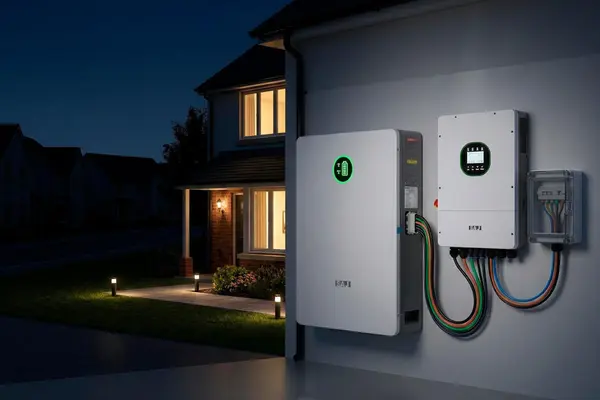
A solar inverter may consume electricity even when household appliances are switched off. This standby consumption—also known as tare loss or idle draw—varies significantly by inverter model, operating mode, battery configuration, and connected equipment. Check the manufacturer’s datasheet for the inverter’s no-load or standby power consumption instead of assuming a fixed wattage.
Over a 14-hour overnight window, a 50-Watt idle draw quietly burns 0.70 kWh of stored energy, which equals roughly 14% of a 5 kWh battery.

How to fix it:
- Activate Eco Mode or Power-Saving Search Mode in your inverter settings so the unit sleeps when no AC load is detected.
- In off-grid cabins or RVs, physically switch off the inverter overnight when you only need 12V DC lights or USB chargers.
3. Phantom / Vampire Loads on Standby
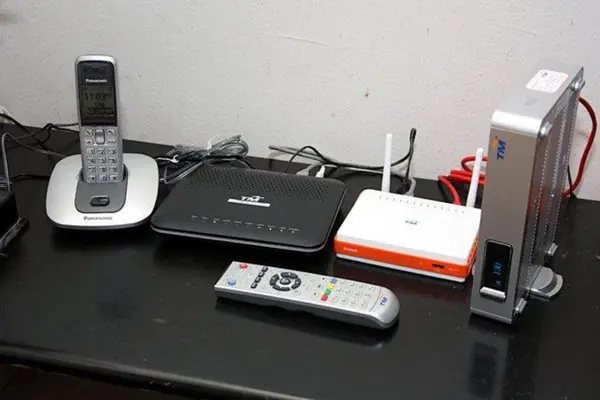
Household electronics can continue using electricity in standby or low-power modes even when they appear to be turned off. Gaming consoles, desktop computers, smart TVs, Wi-Fi routers, microwave clocks, and garage door openers may contribute to overnight energy consumption. The combined standby load varies by device and usage pattern, so measure your home’s actual baseline power demand rather than relying on a fixed wattage estimate.
Example: A measured 80W standby load running for 12 hours uses:

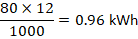
How to fix it:
- Open your solar monitoring app at 2:00 AM to check your home’s baseline wattage draw.
- Plug entertainment centers and home office gear into smart power strips that cut power completely at bedtime.
4. Wrong Charge Controller or BMS Settings (“False Drain”)
Incorrect charge controller or Battery Management System (BMS) settings can prevent a battery from reaching its intended state of charge. For example, selecting an incompatible battery chemistry profile or using incorrect absorption, float, and low-voltage disconnect settings may reduce usable capacity or trigger premature shutdowns.
| Technical term | What it controls |
| Absorption Voltage | Final stage of battery charging |
| Float Voltage | Voltage maintained after the main charging stage |
| Low-Voltage Disconnect (LVD) | Protects the battery from excessive discharge |
| Battery Management System (BMS) | Monitors and protects battery cells |
| Battery Chemistry Profile | Sets charging behavior for the battery type |
Charging parameters vary by battery model and system voltage, so always follow the manufacturer’s specifications rather than applying generic voltage settings.
How to fix it:
- Check your charge controller or hybrid inverter battery menu to verify the exact chemistry profile.
- Set Absorption, Float, and Low-Voltage Disconnect (LVD) values strictly to the numbers printed on your battery manufacturer’s spec sheet.
5. Misconfigured Inverter Mode (Self-Consumption vs. Backup Reserve)
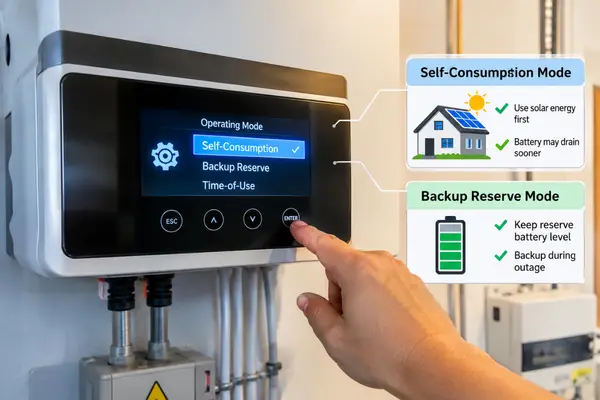
Some U.S. homeowners on Time-of-Use (TOU) electricity plans configure their solar batteries to discharge during expensive evening periods to reduce grid electricity purchases.
| Time | Inverter behavior |
| 10 AM–3 PM | Solar charges the battery |
| 4 PM–9 PM | Battery powers household loads |
| 9 PM onward | Battery continues supplying loads until reserve limit |
| Backup Reserve | Example: 30% |
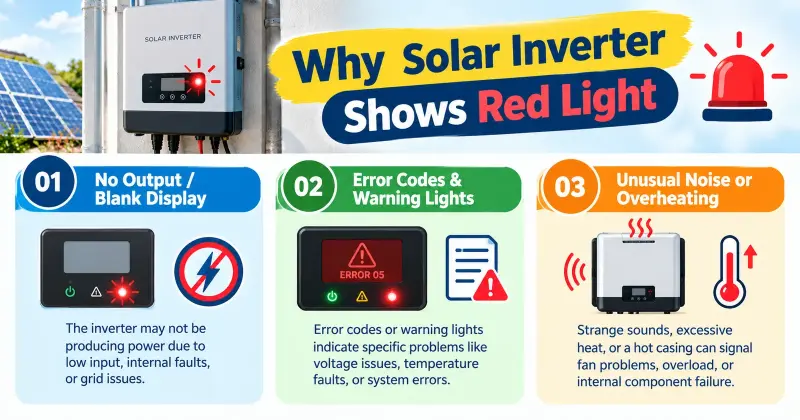
If your inverter displays a red warning light, check its meaning and possible causes using our guide to solar inverter red light causes and fixes.
How to fix it:
- Open your system app (such as Enphase Enlighten, Tesla, or SolarEdge) and review your Backup Reserve setting. Choose a reserve level based on your outage-preparation needs, battery capacity, and utility rate plan, following the manufacturer’s recommendations.
- Review your utility peak schedule and inspect fault logs using our Solar Inverter Troubleshooting Guide if the battery exports power to the grid unexpectedly.
6. Extreme Cold (<32°F) or High Heat (>95°F)
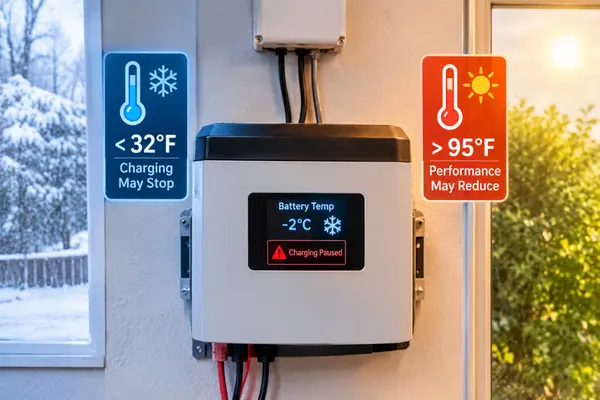
Battery temperature can affect charging performance, available capacity, and long-term battery health. In cold conditions, many standard LiFePO4 batteries restrict or stop charging when their internal cell temperature falls below the manufacturer’s permitted limit. Some models include built-in heaters, while others require an approved temperature-controlled installation. High temperatures can also accelerate battery aging and may cause the BMS to limit charging or discharging. Exact operating limits vary by battery model.
| Condition | Possible battery impact |
| Low temperature | Charging may be restricted by the BMS |
| High temperature | Accelerated battery aging |
| Poor ventilation | Increased operating temperature |
| Temperature outside manufacturer limits | Charging or discharging may be limited or stopped |
How to fix it:
- Install batteries inside a climate-controlled utility room or insulated garage rather than an unshaded exterior wall.
- Use self-heating LiFePO4 batteries or thermostatic heating pads in northern U.S. states.
7. Exceeding Safe Depth of Discharge (DoD) & Battery Aging
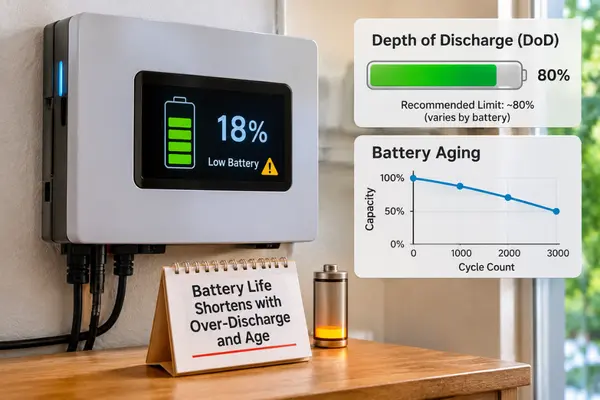
Depth of Discharge (DoD) describes how much of a battery’s available capacity has been used. Recommended DoD limits depend on battery chemistry, model, operating conditions, and the manufacturer’s cycle-life specifications. Some lithium batteries support deeper discharge than lead-acid batteries, but repeatedly operating beyond recommended limits can shorten battery life. Battery capacity also declines with age and repeated cycling, reducing the amount of energy available for overnight backup.


Example: A 10 kWh battery configured for 80% usable DoD provides:

How to fix it:
- Maintain the minimum State of Charge (SoC) recommended by your battery manufacturer. Avoid repeatedly discharging the battery beyond its specified limits
- Compare your battery’s age and cycle count against expected lifespans in our guide on How Long Do Solar Panel Batteries Last.
8. Undersized Solar Array or Shading Causing Chronic Undercharging
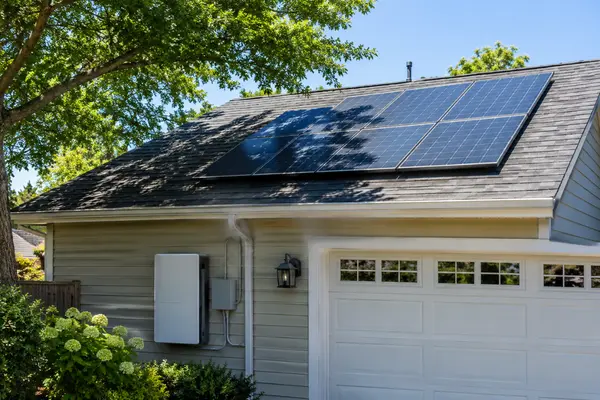
An undersized solar array may not generate enough electricity to fully recharge a battery after overnight use. Daily solar production depends on location, season, roof orientation, tilt, shading, weather, and system losses. A 400-watt panel will not produce the same amount of energy in Seattle during winter as it does in Arizona during summer. If the battery regularly reaches sunset without its intended charge level, compare its daily charging history with actual household energy consumption.

Example: A 5 kW solar array receiving 4 peak sun hours with an illustrative 80% system efficiency:

How to fix it:
- Review the battery’s daily charging history to confirm that it consistently reaches its configured full-charge target before sunset.
- Trim overhanging branches and clean dusty panels following the steps in Why Is My Solar Production Lower Than Estimated.
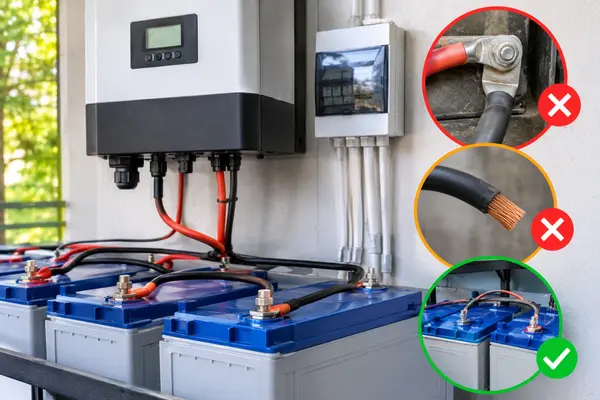
9. Undersized DC Cables, Loose Lugs, or Mismatched Parallel Batteries
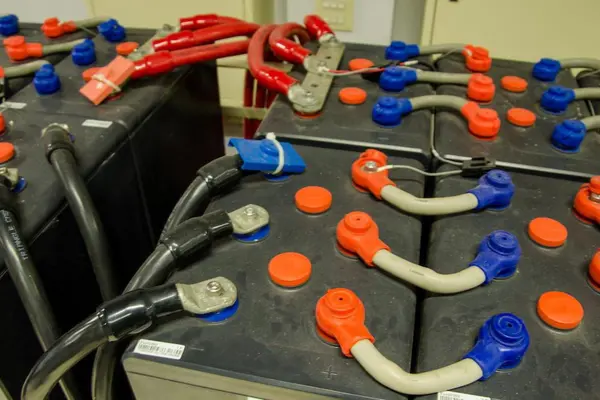
High-current DC circuits suffer from I²R voltage drop when cables between the battery bank and inverter are too thin or too long. Under heavy load, thin wire causes terminal voltage to sag sharply, tricking the inverter’s Low-Voltage Disconnect into shutting down early even though energy remains in the cells. Loose terminal connections or improperly matched batteries connected in parallel can cause uneven current sharing, voltage differences, and premature system shutdowns.


A higher current increases resistive power loss in DC cables. Undersized conductors, excessive cable length, poor connections, and loose terminals can increase voltage drop under load. Cable sizing must account for current, system voltage, cable length, conductor material, installation conditions, and applicable electrical codes.
How to fix it:
- Use properly sized copper DC cables based on system current, voltage, cable length, conductor material, installation conditions, and applicable electrical codes.
- Torque all busbar and terminal lugs to manufacturer specs, and never wire batteries of different ages, capacities, or brands in parallel.
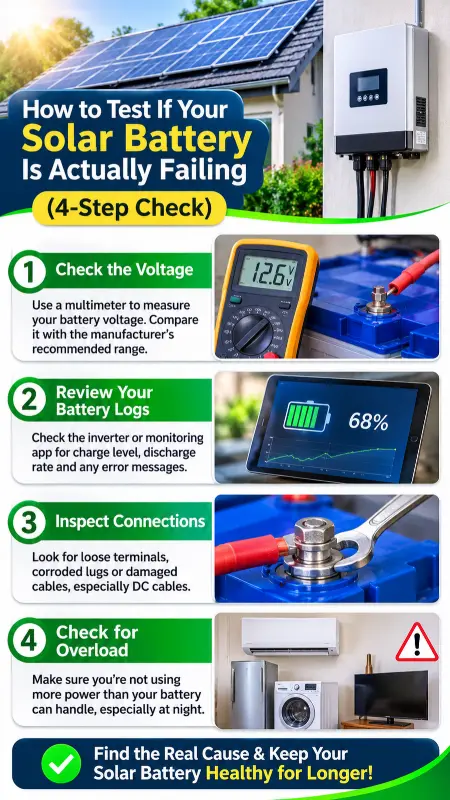
How to Test If Your Solar Battery Is Actually Failing (4-Step Check)
Electrical Safety Warning: Solar battery systems can contain high-energy DC circuits capable of causing severe electric shock, burns, or electrical arcing. Do not open battery enclosures, disconnect high-current cables, loosen battery terminals, or perform live electrical tests unless you are properly qualified. For wiring inspections, internal battery diagnostics, and electrical measurements, contact a licensed electrician or qualified solar battery technician. Always follow the equipment manufacturer’s shutdown and safety procedures.
Step 1: Review Battery State of Charge and Voltage Data
Start by checking the battery’s monitoring app, inverter display, or approved battery monitor. Compare the reported State of Charge (SoC), battery voltage, current, and charging history.
Do not rely on a single resting-voltage reading to determine the exact State of Charge of a LiFePO4 battery. Lithium iron phosphate batteries have a relatively flat voltage curve across much of their operating range, so voltage alone may not accurately indicate remaining capacity.
For a more reliable assessment, review the manufacturer’s recommended voltage specifications and compare them with the BMS data. If the reported SoC and voltage readings appear inconsistent, ask a qualified technician to verify the battery monitor configuration and charging system.
Step 2: Review Overnight Battery Discharge With Loads Isolated
An overnight discharge comparison can help determine whether household consumption or system standby power is contributing to battery drain.
If a true zero-load test is needed, have a qualified technician isolate the appropriate loads using the manufacturer’s shutdown procedure. Record the battery’s SoC and voltage at the beginning and end of the test, along with battery temperature and any BMS alerts.
A significant unexplained drop may indicate a monitoring issue, internal battery problem, or an electrical load that has not been fully isolated. Do not assume that a specific percentage drop proves the battery is defective without further testing.
Step 3: Review BMS Cell Voltage and Warning Data
If your battery provides individual cell-voltage monitoring, review the highest and lowest cell readings in the manufacturer’s app or diagnostic software. A noticeable difference between cell voltages may indicate an imbalance, but the acceptable range depends on battery design, operating conditions, temperature, and whether the battery is charging, discharging, or resting.
Check for BMS warnings related to cell undervoltage, overvoltage, temperature limits, or charge and discharge protection. Do not attempt to manually balance cells or bypass BMS protection. If the battery reports persistent cell-voltage differences or repeated shutdowns, contact the manufacturer or a qualified battery technician.
Step 4: Audit Your Overnight Residential Electrical Load
Sometimes the battery works properly, and the math simply reveals a sizing mismatch. Calculate your real overnight watt-hours using the standard formula: Watts × Hours = Watt-Hours (Wh), then divide by 1,000 for kilowatt-hours (kWh).
Example overnight home draw (8:00 PM to 7:00 AM = 11 hours):
- Inverter idle draw: 50W × 11 hrs = 550 Wh
- Kitchen refrigerator (running 40% duty cycle): 150W × 4.4 hrs = 660 Wh
- Wi-Fi router, security cameras & LED lights: 120W × 11 hrs = 1,320 Wh
- Bedroom window AC or furnace blower: 900W × 5 hrs = 4,500 Wh
- Total Overnight Consumption: 7,030 Wh (7.03 kWh)
On a 10 kWh battery with 8.0 kWh of available usable energy, consuming 7.03 kWh overnight would leave approximately 0.97 kWh of usable energy, assuming no additional charging or system losses. This represents about 12.1% of the initially available usable energy. It does not necessarily mean the battery’s displayed SoC will be exactly 12.1%, because battery reserve settings and monitoring configurations can affect the reported percentage.
6 Practical Ways to Improve Solar Battery Backup Time
Small changes to household energy use and battery system management can help improve overnight backup performance.
- Shift flexible loads to daytime: Run dishwashers, laundry machines, pool pumps, and EV chargers when solar production is strong.
- Monitor overnight consumption: Review your energy monitoring app to identify appliances that use electricity while you sleep.
- Set an appropriate backup reserve: Adjust the reserve according to your outage-preparation needs, battery capacity, and utility rate plan.
- Follow the correct charging profile: Use the charging settings and balancing schedule recommended by your battery manufacturer.
- Protect the battery from extreme temperatures: Maintain the installation environment within the manufacturer’s permitted operating range.
- Schedule periodic system inspections: Have a qualified technician inspect battery connections, inverter operation, BMS alerts, and system performance.
Frequently Asked Questions
Why does my solar battery drop from 100% to 80% within minutes?
A quick drop in battery percentage after sunset does not always indicate a faulty battery. Some monitoring systems adjust their State of Charge (SoC) estimate after solar charging stops and household loads begin using stored energy. Incorrect monitor configuration, cell imbalance, or a sudden increase in power demand may also contribute. Review the BMS data and charging history if the drop happens repeatedly.
How much should a solar battery drain overnight normally?
There is no universal overnight discharge percentage for every solar battery. The amount depends on battery capacity, household electricity consumption, inverter standby power, backup reserve settings, and battery chemistry. Compare actual overnight kWh consumption with your battery’s available usable capacity to determine whether the discharge is expected.
Can a faulty solar inverter drain my battery?
Yes. An inverter can contribute to unexpected battery consumption through excessive standby power, configuration problems, or internal faults. Compare its standby consumption with the manufacturer’s specifications and check for fault alerts. Contact a qualified technician if the readings appear abnormal. If your inverter has a persistent hardware fault, review inverter repair and replacement expenses before arranging professional service.
Should I turn off my solar inverter at night to save battery?
Not necessarily. Some off-grid systems allow users to disable an inverter when AC power is not needed, but doing so may interrupt essential loads, monitoring, or backup functions. Grid-connected battery systems may also rely on the inverter for automatic operation and outage protection. Follow the manufacturer’s operating instructions before changing inverter schedules or switching equipment off.
Does a solar battery drain when nothing is plugged in?
Yes. Even when household appliances are switched off, an operating solar battery system may use energy for inverter standby functions, the Battery Management System (BMS), monitoring equipment, and other connected components. The amount varies by system design and equipment model. Review the inverter’s standby consumption and battery monitoring data to identify the source.
Why is my new solar battery draining so fast?
A new solar battery may appear to drain quickly because the battery bank is undersized for the household’s overnight electricity use, the system is not reaching its intended charge level, or the inverter settings are not configured correctly. Some battery monitoring systems may also need proper commissioning or SoC calibration. Check the manufacturer’s setup instructions, charging history, and BMS alerts before assuming the battery is defective.
How do I know if my solar battery is losing capacity?
Compare the battery’s current usable energy and backup time with its original performance under similar load and temperature conditions. Review battery monitoring data, cycle history, and BMS warnings. A qualified technician can perform further tests to determine whether the battery has degraded or the system is configured incorrectly.
Why does my solar battery charge fully during the day but drain quickly at night?
A battery may reach its full-charge target during the day but still run out quickly if overnight electricity consumption exceeds its usable capacity. Heavy appliances, inverter standby power, and hidden loads can all contribute. Compare overnight energy consumption with available battery capacity before assuming the battery is faulty.
Conclusion
A solar battery that drains quickly is not always a sign that the battery needs replacing. In many cases, the real problem is excessive overnight energy use, inverter power consumption, incorrect settings, or inadequate charging. Start by tracking your battery’s overnight usage and checking its settings, temperature, and charging performance. If the problem continues, have the battery, inverter, and wiring professionally inspected. Finding the actual cause early can help restore reliable backup power, protect your battery, and extend the life of your solar energy system.