
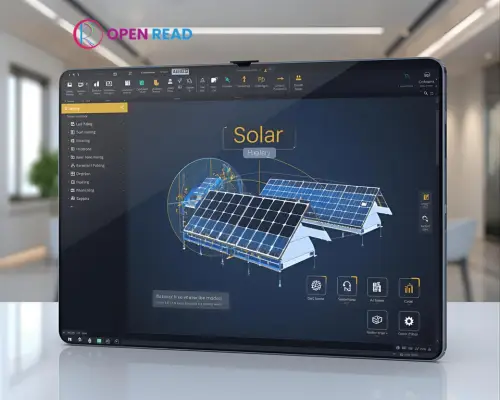
A free tool is not suitable for designing a mega solar system project. This is because, in most cases, all the advanced features are not available in a free version. There are different types of free online solar panel layout tools that most engineers and solar system designers are used to. Let’s see some of the best free solar layout software
- OpenSolar
- Google Project Sunroof
- PVWatts Calculator
- SolarDesignTool
- Aurora Solar
- Helioscope
Using such tools, you can design your home solar system and commercial systems also. You can also get an estimation of how many solar panels you need, where you need to set up panel, how much power you may get from your system, and much more. So, use that software to design your solar panel system layout.
What Is a Solar Panel Layout Tool?
A solar panel layout tool is sometimes called a design tool that is used to design or make a layout of a solar panel system. Designers can decide solar panel placement, geographical location, visualization, and sun position in 8 hours a day, and apply various techniques to boost solar energy generation capacity. A solar panel layout tool helps you design and visualize the placement of solar panels on a rooftop or property. These tools are often used:
- Satellite imagery (Google Maps)
- AI-assistant panel placement
- Energy production estimators
- Tilt and angle calculations
Free Online Solar Panel Layout Tool with Features

There are many online solar panel layout tools. Some offer a free package with a limited feature, and offer a specific day or a free trial. We have brought here the best free solar design software that can assist you with solar panel layout drawing.
| Tool Name | Free Use | AI-Feature | Key Feature |
| OpenSolar | Yes | Yes | Full suite, CRM, layout, proposals |
| PVSOL online | Yes | No | Simple energy calculator |
| Google Sunroof | Yes | Yes | Map-based solar estimation |
| Aurora Solar | Free Trial | Yes | 3D design, shading, pro-level tools |
| Solargis Prospect | Yes | Yes | Global solar potential mapping |
| HelioScope | Free Trial | Yes | Detailed simulations |
| SolarDesignTool | Free Trial | No | Electrical and layout design |
| PVGIS | Yes | No | Location-based resource data |
| EasySolar App | Free Trial | Yes | Mobile layout + 3D simulation |
| SunDAT (FTC Solar) | Free Trial | Yes | Utility-scale design & automation |
Why Use a Free Online Solar Design Tool?

There are dozens of significant reasons to use free online design tool, such as
- No cost for necessary features
- Best for small or start-up solar business
- No installation needed
- Free for homeowners & beginners
- Instant solar production estimates
- Supports self-install or professional quotes
- Useful for DIY planning or EPC firms
1. Open Solar Design Software
Best for: Free with premium features, small, and medium-sized solar installer companies.
If you are looking for an efficient, modern, and free solar system layout design tool, then Open Solar will be your first choice. To accelerate solar system installation, make a world of sunshine, and provide solar installer privileges, Open Solar has developed this software. It is always free, and no need to pay a single charge for premium features. It is considered solar system designer-friendly software. However, there are many users of Open Solar Design Software.
- Over 25,000 active solar design users.
- It is available in over 160 countries.
- 13+ language support (Multilingual).
- Completely free of cost to get advanced features.
- 150+ industry partners and providers globally.
This software can be used for selling solar systems and offers some attractive features, such as
- Cash Flow Management.
- Integrated Finance.
- E-Signature & Payments.
- Automated Bill of Materials.
- On-demand Permitting.
Using this software, Shop, Open API, Built-in CRM, and manage other tasks smoothly. Therefore, you can manage solar system installation company team members like assigning new roles, Premising any specific task, and so on. So, you are getting many things all in one software. So, OpenSolar may be your ultimate design tool.
Features of OpenSolar Design Tool
- Accurate 3D Design.
- Premium Imagery.
- Mounting Designer.
- Scaffolding.
- Single Line Diagrams.
- A Project Cash Flow Management.
- Team Member Role Assign.
2. PVSOL online
PVSOL is the PV system calculation online tool. It is considered a free tool, but it has some essential premium features. Small design and simulation tasks can be done using the PVSOL design tool. Its online free version is suitable for photovoltaic system design and simulation. PVSOL offers some attractive advantages to the PV system designer, such as
- Location selection by world map (country and city with latitude/longitude)
- Display of annual global irradiation and average temperature
- Load profile selection (various household types, business, heat pump, constant load)
- Annual energy consumption (kWh/year)
- PV module selection from manufacturer database
- Solar module configuration (model, orientation, inclination, quantity, total power)
- Solar panel Installation options (roof-parallel, roof-integrated rear-ventilation, roof-mounted, etc.)
- Solar panel adjustment parameters (albedo, shading, soiling)
- Inverter selection from the manufacturer database
- Automatic configuration manager (module, inverter matching, sizing, MPP, modules/string, parallel strings, PV field)
- Simulation of PV system
- Output power (annual PV energy, performance ratio, own power consumption, solar fraction, pie chart)
The premium system is more advanced, allowing Unique 3D design, an Up-to-date product database, Financial analysis, Worldwide climate data, and so on. In that case, the designer does not require solar CRM software for financial analysis. It is also called an all-in-one PV solution.
PVSOL Online Tool Features
- Location tracking system
- Load profile
- PV module data management
- Inverter manufacturer selection
- Track PV system Performance ratio
- Own power consumption system
- Solar fraction analysis
3. PVGIS Solar Design Tool
It is another world-class and the best free solar design software. PVGIS is a web-based solar design tool. It is developed by the European Commission’s Joint Research Centre (JRC). PVGIS allows users to estimate solar radiation, photovoltaic (PV) system performance (energy output), and other related metrics for locations around the world. PVGIS supports locations worldwide, not just Europe.
It covers Europe, Africa, Asia, and the Americas in broad terms. It is noted that Data sources vary by region. If you want to know how much solar energy a PV system generates at this site? Or what is the solar radiation at this rooftop location? All the solutions are available in the PVGIS tool.
- Number of users: 1M+
- Pricing/Registration: Free to use with no registration required.
- Reliable data sources
- Versatile and ease of use
PVGIS Solar Design Features
- Solar radiation-data maps and an interactive map interface.
- PV system performance estimation.
- Hourly and monthly time series for PV production and solar radiation.
- Off-grid components (estimate off-grid PV energy production).
- Downloadable data and API access.
- Multi-language interface (English, French, German, Spanish, Italian).
4. Google Sunroof
Google Sunroof is a smart solar design tool. Using Google Maps data, 3D modeling, and local weather patterns, designers can estimate how much sunlight your roof receives. This makes it easier to calculate potential savings, energy output, and the solar panels installation financial value. It helps homeowners and businesses quickly understand the financial and environmental benefits of switching to solar. People are drawn to Google Sunroof for its simplicity, transparency, and cost-saving insights.
Google Sunroof Tool Features
- Roof Analysis
- Solar Potential Estimate
- Cost & Savings Calculator
- Local Installer Links
- Green Impact Insight
- Environmental Impact Insight
5. Aurora Solar Design Tool
Aurora Solar is a SaaS based solar system designing tool. This tool is not completely free. Aurora solar design tool is a subscription based, but allows free trial for the users. Aurora design tool pricing includes
- Basic: $159
- Premium: $259
- Custom is available
It develops and offers a cloud-based platform for designing, selling, and delivering solar energy systems. Arora Solar panel layout tool is widely used by solar installers, solar sales teams, and project developers to manage the entire project lifecycle. As of now, around 90% of top U.S. residential solar companies use Aurora.
Aurora emphasizes that you can produce a highly accurate. A designer can design without needing an on-site visit. That saves PV system installer time and cost. It also accelerates the sales cycle. Residential solar installers can sales and design operations. Companies can increase sales cycles and improve customer engagement. So, this tool may be the best choice for Installers that want to reduce field changes and improve build certainty
Aurora Solar Design Tool Features
- Shading analysis
- Analysis of losses
- CAD tools
- Energy production estimates
- Performance simulation
- Solar panels layout
- 3D design
- 3d site modeling
6. Solargis Prospect
Solargis Prospect is another renowned solar panel layout software. It is a web-based application. Solargis Prospect developed to support the pre-feasibility and solar photovoltaic (PV) projects early planning phases. It allows developers, investors, and solar system design engineers to quickly evaluate a sites without the need for on-site presence. This online solar panel design software is completely free. It is a subscription based and free trial is available for a specific time.
- Basic: € 2,400 / year
- Professional: € 4,800 / year
- Custom is available
Designer can set insights into solar irradiation, weather conditions, air quality, albedo, snow, and other environmental parameters. Solargis Prospect has over 30 interactive map layers. Users can visualize and compare multiple potential sites, screen different PV technologies, and estimate long-term yield with confidence.
Solargis Prospect Design Software Features
- Updated global solar database
- User-friendly system
- Project management system
- Pre-feasibility reports management
- High-resolution solar resource maps
- Pre-feasibility finance calculator
7. HelioScope
HelioScope is a powerful online solar PV systems design and analyzing tool. It combines accurate solar system 3D modeling, shading analysis, and performance simulations. It helps solar system designers to create reliable solar designs faster. Most engineers, developers, and solar installers are drawn to HelioScope because it reduces project turnaround time, improves accuracy, and builds stronger customer trust.
However, is HelioScope a free online tool? No this software is not completely free. HelioScope is a subscription based, but offer 14 days’ free trial. Its plan includes
- Basic Plan: 159 USD per license per month. This package includes 1 user and 10 projects per month with limited features.
- Pro Plan: 259 USD per license per month. It Includes 1 user and 10 projects per month with unlimited features.
- Enterprise Plan
HelioScope Solar Design Software Features
- CAD-style interface
- Automatic layout
- Shading analysis
8. Solar Design Tool
Solar Design Tool is a web-based photovoltaic (PV) system. It allows solar installers/designers to create layouts, model, inverters, handle roof or ground-mount constraints, and generate permit-ready documentation packages for grid-tied systems. Due to browser-based (no heavy installation), it is designed to perform manual and CAD-intensive design process into a more automated workflow.
However, Solar Design tool was initially oriented toward the U.S. residential market. Since the tool is web-based, many functions, such as roof aerial imagery, layout modelling, etc. are usable globally. But local permitting rules, roof imagery resolution, and component libraries may vary by region.
- SolarDesignTool has produced: 700,000 designs globally.
- 35% US installer used it to handle growth and speed up design/permitting workflows.
- Allows Free trial and preliminary design access
SolarDesign Tol Features
- Web-based / browser interface, but no heavy local install required.
- Roof/ground layout modelling, and allows to import 3D data.
- Component specification & stringing (enter modules, inverters, racking, string configuration, etc.).
- Permit package generation.
- Layout constraints & obstructions (define roof faces, setbacks, obstructions, and optimize array placement).
Final Thought
Solar design software is most necessary in the software panel installation company. The PV system designer designs a solar system to give a visual structure. In that case, the designer can set geographical location, shading, panel placement, etc. However, we have referred here to some of the best free solar design software or Solar panel layout drawing tools, that can assist you in designing a great PV system overview structure.
How Solar Panel Layout Tool Helps in Solar Panel Layout?
A solar panel layout tool helps by permitting designers to visually plan and optimize the placement of panels on a roof or ground area. Designers can calculate tilt, orientation, and spacing for maximum sunlight exposure, avoided shading, and structural conflicts. Layout design tools also estimate energy output, wiring layout, and component positioning, making the overall design process faster, more accurate, and cost-efficient for both residential and commercial solar projects.
How to Use a Free Solar Layout Tool?
To use a free solar layout tool, start by entering your location or address to access local sunlight data. Then, draw or upload your roof or site layout, and place panels according to available space and orientation. Adjust tilt angles and spacing to maximize exposure and minimize shading. Finally, the tool will generate energy production estimates and sometimes system reports, helping you evaluate the best design before installation.
Free Online Solar Panel Layout Tool App
- PVGIS: Web (PC, Mobile, Tablet)
- SolarDesignTool: Web (PC, Mobile)
- Aurora Solar (Free Trial): Web (PC, Tablet)
- HelioScope (Free Trial): Web (PC)
- OpenSolar: Web (PC, Mobile, Tablet)
- PVWatts Calculator (NREL): Web (PC, Mobile)
- EasySolar: Web & Mobile App (Android, iOS)
- Solarius PV (Trial Version): Desktop (Windows)
- SAM (System Advisor Model): Desktop (Windows, macOS)
- SketchUp with Skelion Plugin: Desktop (Windows, macOS)
Are These Free Tools Accurate?
Free solar layout tools are generally accurate for basic design and energy estimates, but their precision depends on data quality and tool capability.
Can I Use Free Photovoltaic Design Software for Commercial Buildings?
Yes, you can use free photovoltaic (PV) design software for commercial buildings, but with some limitations. Free tools like PVGIS, PV Watts, or OpenSolar can accurately estimate solar potential, energy yield, and financial savings for large rooftops or ground systems.
Do I Need Engineering Skills for Solar Panel Layout?
You don’t need advanced engineering skills for a basic solar panel layout. Indeed, most tools guide you through the process. However, some technical understanding of tilt, orientation, and shading helps improve accuracy.

Rajib Hasan is a U.S.-focused solar energy analyst and residential & commercial solar PV consultant with over 8 years of experience in rooftop system design, solar installation cost analysis, AHJ permitting processes, NEC compliance, and net energy metering (NEM). He works closely with American homeowners and businesses to evaluate solar installers, navigate federal and state incentive programs, and make data-driven, long-term solar investment decisions.
Expertise Areas:
- S. residential & commercial solar installation costs
- AHJ permitting & utility interconnection processes
- NEC (National Electrical Code) compliance
- Net Energy Metering (NEM 2.0 & NEM 3.0)
- Federal solar tax credits (IRS Sections 25D & 48)